Unlocking UML Potential: How Visual Paradigm AI Transforms Use Case Elaboration with Activity and Sequence Diagrams
09 Dec
Introduction: The Power of UML in Modern Software Development
In software engineering, Unified Modeling Language (UML) is the . At its core, UML bridges the gap between abstract requirements and tangible implementation, ensuring clarity and alignment across stakeholders—from business analysts to developers.
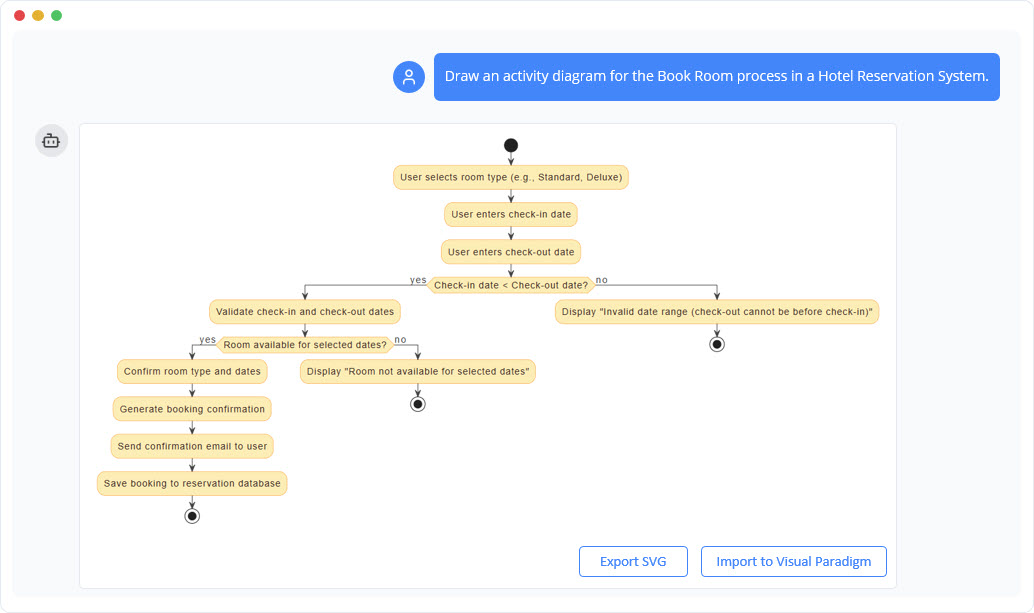
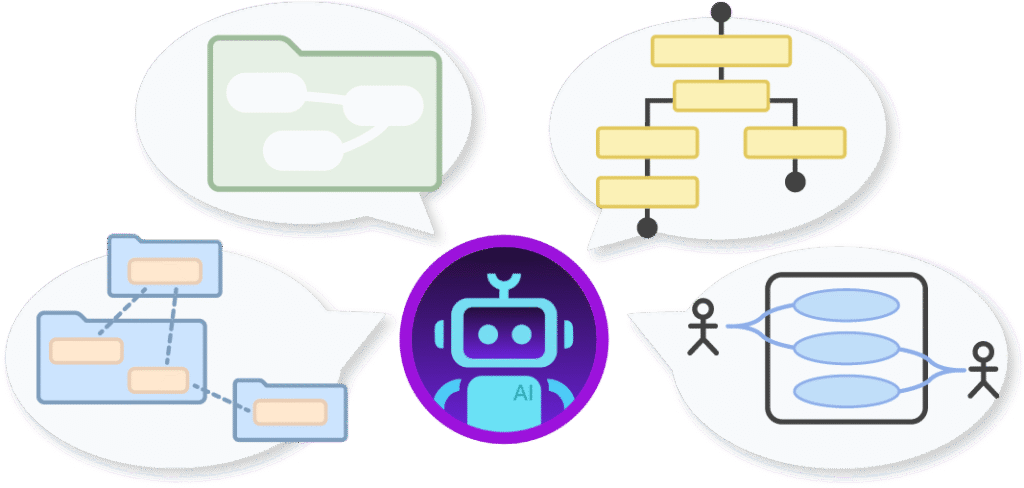
Among UML’s most powerful tools are use cases, activity diagrams, and sequence diagrams. Each serves a unique purpose:
- Use cases define what the system should do from the user’s perspective.
- Activity diagrams elaborate how processes unfold, capturing workflows and decisions.
- Sequence diagrams detail who interacts with whom, illustrating object collaborations over time.
Yet, manually creating these diagrams is time-consuming, error-prone, and often becomes a bottleneck in agile development. Visual Paradigm AI changes this by automating diagram generation, transforming textual use cases into precise, dynamic visuals—saving hours of work and reducing ambiguity.
This article explores how Visual Paradigm AI revolutionizes UML diagramming, making it faster, smarter, and more accessible for teams.
1. Use Cases: The Foundation of System Requirements
What Are Use Cases?
A use case describes a system’s functionality from the end user’s perspective. It answers:
- Who interacts with the system? (Actors: users, external systems)
- What goals do they achieve? (Main success scenarios)
- What could go wrong? (Alternative flows, exceptions)
- What must be true before and after? (Pre- and post-conditions)
Use case diagrams provide a high-level, static view of system behavior, but they don’t explain how processes work. That’s where activity and sequence diagrams come in.
2. Activity Diagrams: Visualizing Workflows and Decisions
Why Use Activity Diagrams for Use Case Elaboration?
Activity diagrams are flowchart-like representations of processes, making them ideal for elaborating use cases because:
- Workflow Clarity: They mirror the step-by-step narrative of use cases, showing actions, decisions, and transitions.
- Complexity Handling: They model main flows, alternative paths, and exceptions—just like use case descriptions.
- High-Level Abstraction: Focus on what happens rather than who does it, making them accessible to non-technical stakeholders.
Example: “User Login” Use Case
An activity diagram for a login process might include:
- Actions: Enter credentials, validate, grant access.
- Decisions: Valid/invalid credentials, account locked.
- Parallel Paths: Simultaneous validation checks.
Benefits of Activity Diagrams
- Reduces ambiguity in requirements.
- Identifies bottlenecks early in the design phase.
- Serves as a foundation for test case generation.
3. Sequence Diagrams: Detailing Object Interactions
How Sequence Diagrams Complement Use Cases
While activity diagrams focus on processes, sequence diagrams zoom in on interactions between objects over time. They are scenario-specific, showing:
- Lifelines: Objects involved (e.g., User, Authentication Service, Database).
- Messages: Calls and responses (e.g., “Login Request,” “Validate Credentials”).
- Activation Bars: Duration of operations.
Example: “User Login” Sequence Diagram
A sequence diagram might depict:
- User sends a login request to the Authentication Service.
- Authentication Service queries the Database.
- Database returns validation results.
- Authentication Service grants or denies access.
When to Use Sequence Diagrams
| Aspect | Activity Diagram | Sequence Diagram |
|---|---|---|
| Primary Focus | Procedural workflow and decisions | Object interactions and messages |
| Level of Detail | High-level activities | Low-level collaborations |
| Best For | Business processes | Design/implementation |
| Strengths | Handles loops, branches | Captures timing and lifecycles |
4. The Complementary Roles of Activity and Sequence Diagrams
- Activity diagrams provide a broad, process-oriented view—ideal for requirements validation.
- Sequence diagrams offer a detailed, interaction-oriented view—critical for architectural design.
Together, they ensure no detail is overlooked:
- Activity diagrams reveal missing steps or logical gaps.
- Sequence diagrams expose concurrency issues or inefficient object interactions.
5. How Visual Paradigm AI Simplifies UML Diagramming
Automated Text-to-Diagram Generation
Visual Paradigm AI eliminates manual drawing by:
- Parsing use case narratives (e.g., “User Login” flows).
- Generating activity diagrams with steps, decisions, and exceptions.
- Creating sequence diagrams from use case descriptions, mapping actors to lifelines and flows to messages.
Guided, Intelligent Assistance
- Four-Step Workflow:
- Define the use case.
- Detail the flows.
- Generate the diagram.
- Review and export.
- AI Suggestions: Identifies missing elements (e.g., “Add exception for invalid credentials?”).
- Optimization Tips: Recommends merging redundant activities or adding timing constraints.
Efficiency for Teams
- Business Analysts: Visualize processes from requirements docs.
- Developers: .
- Educators: Demonstrate UML concepts in real time.
Key Features of Visual Paradigm AI
✅ Instant Diagram Generation – No more manual sketching.
✅ Natural Language Processing – Understands use case narratives.
✅ Multi-Diagram Support – Activity, sequence, and more.
✅ Collaboration-Friendly – Export and share with teams.
6. Why Visual Paradigm AI is a Game-Changer
Before Visual Paradigm AI:
- Manual diagramming was slow and prone to errors.
- Misalignment between requirements and design was common.
- Stakeholder communication suffered from ambiguity.
After Visual Paradigm AI:
- Diagrams are generated in minutes, not hours.
- Accuracy improves with AI-driven suggestions.
- Teams collaborate seamlessly with clear, exportable visuals.
7. Get Started with Visual Paradigm AI Today
Ready to transform your UML workflow? Try Visual Paradigm AI’s Use Case to Activity Diagram tool and experience: ✔ Faster diagramming – Focus on analysis, not drawing. ✔ Smarter suggestions – . ✔ Seamless collaboration – Share diagrams effortlessly.
Try Visual Paradigm AI Now and see how easy UML can be!
Conclusion: The Future of UML is AI-Powered
UML remains essential for clear, efficient system design, but manual diagramming is a relic of the past. Visual Paradigm AI automates the heavy lifting, allowing teams to:
- Visualize use cases instantly.
- Refine diagrams with AI guidance.
- Collaborate without friction.
By integrating activity and sequence diagrams into your workflow, you ensure comprehensive, unambiguous system models—faster and smarter than ever before.
!
Activity Diagram AI Resource
Examples
Ride-Hailing Application
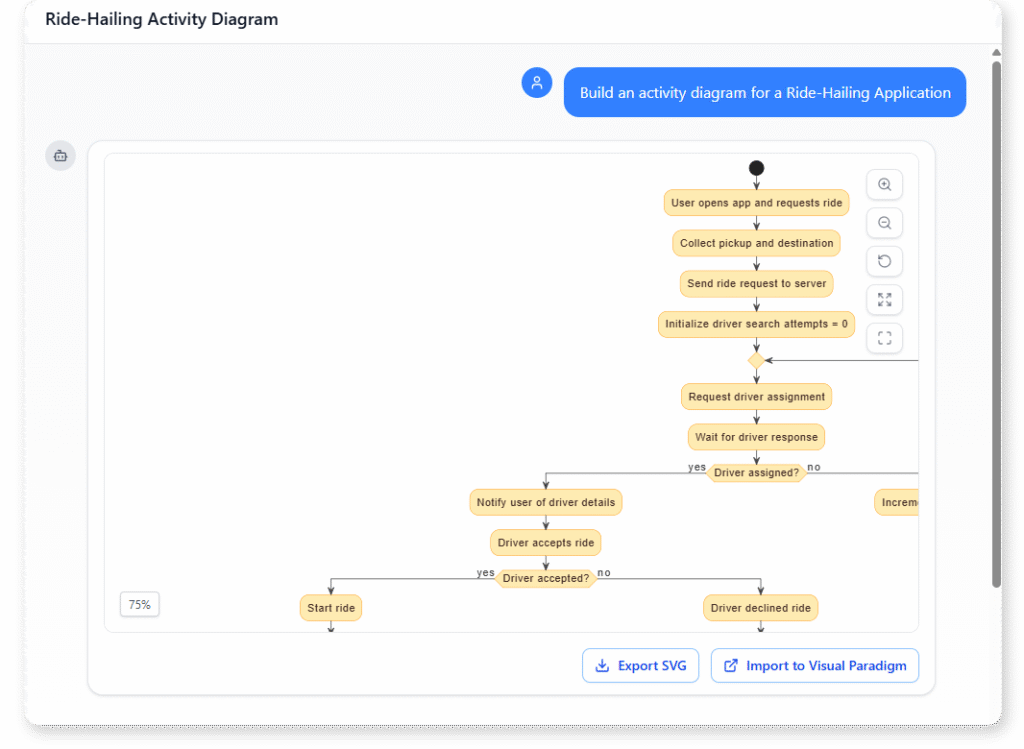
“Build an activity diagram for a Ride-Hailing Application”
Airport Check-In and Boarding Process
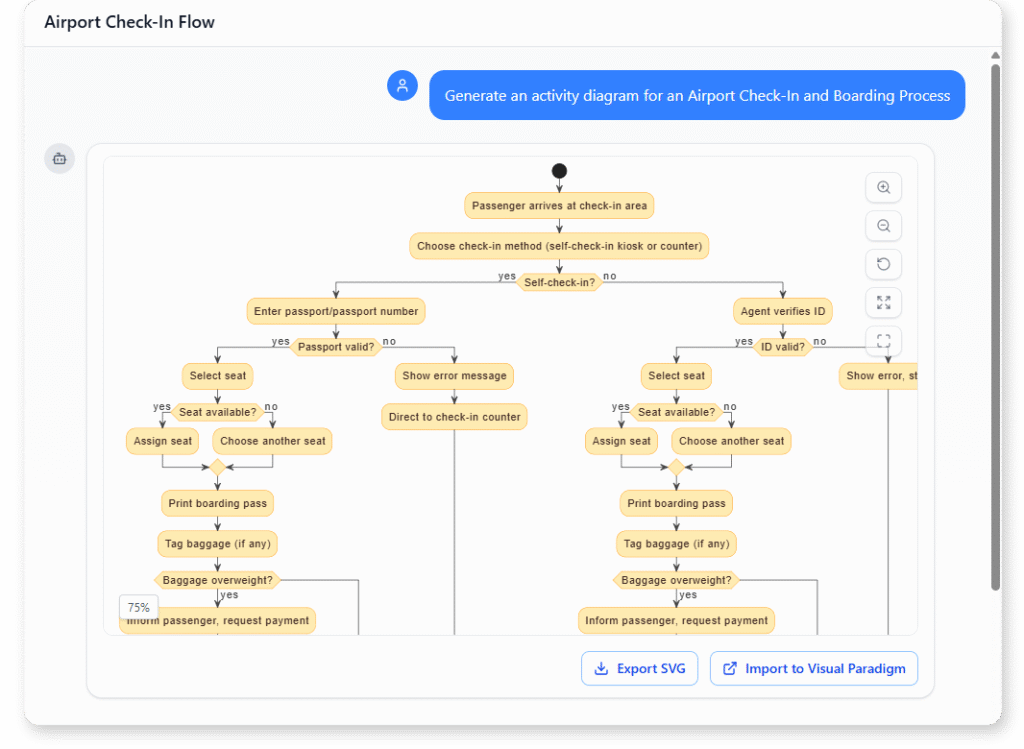
“Generate an activity diagram for an Airport Check-In and Boarding Process.”
Online Movie Ticket Reservation System
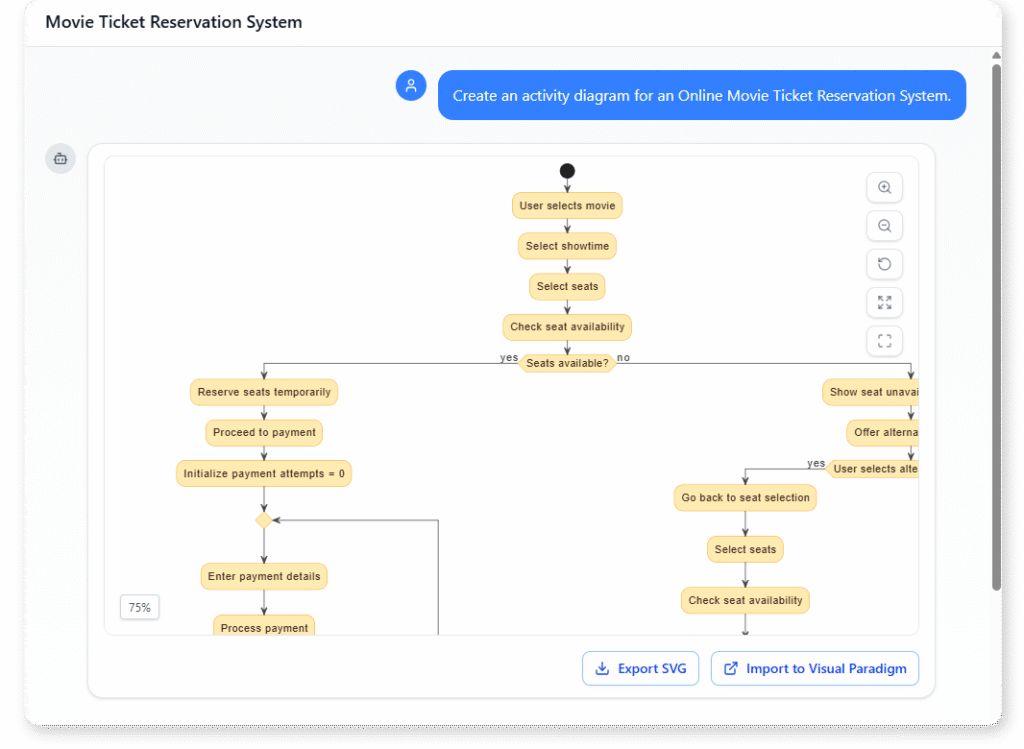
“Create an activity diagram for an Online Movie Ticket Reservation System.”